Welcome to mahpastes
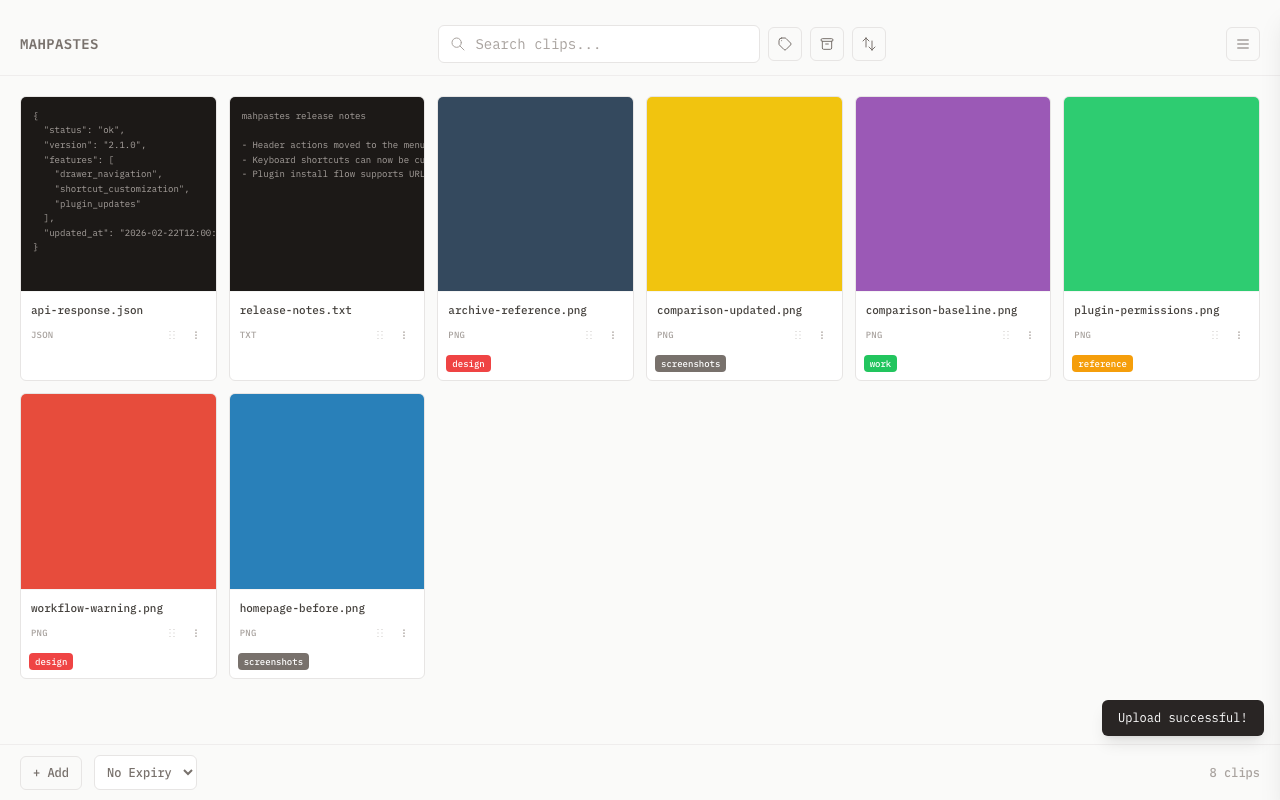
mahpastes is a local clipboard manager for macOS, Windows, and Linux. Store, organize, and access your copied content without sending data to the cloud.
Why mahpastes?
- Privacy first — All data stays on your machine in a SQLite database
- Universal clipboard — Store images, text, code, JSON, HTML, and files
- Built-in editing — Annotate images and edit text without leaving the app
- Tags and folders — Hierarchical color-coded tags with a folder mode for directory-style navigation
- Archive and auto-delete — Archive important clips, auto-delete temporary ones
- Watch folders — Automatically import files from designated folders
- REST API and CLI — Automate workflows with authenticated API access and the
mpcommand-line tool - Plugins — Extend functionality with sandboxed Lua scripts
- Tag serve — Turn any tag into a local HTTP server with an optional JSON API and file upload endpoint
- Deduplication — SHA-256 content hashing detects duplicates and supports merging
Quick Links
Features at a Glance
| Feature | Description |
|---|---|
| Paste Anything | Images, text, code, JSON, HTML, and files |
| Drag & Drop | Drop files in or drag clips out to other apps |
| Auto-Delete | Clips expire after 15 minutes, 1 hour, 6 hours, 24 hours, or 7 days |
| Archive | Keep important clips separate from active workspace |
| Lightbox | Full-screen image viewer with zoom, pan, and navigation |
| Image Editor | Annotate with brush, shapes, and text |
| Image Comparison | Compare two images with fade, slider, or diff modes |
| Text Editor | Edit text, code, JSON, and HTML clips directly |
| Watch Folders | Automatically import files from folders |
| Bulk Actions | Select multiple clips to copy, archive, download, or delete |
| Tags | Color-coded tags with hierarchical trees and folder mode for directory-style navigation |
| Clip Metadata | Attach key-value pairs to any clip |
| Duplicate Detection | SHA-256 content hashing with merge support |
| Sorting | Sort gallery by date, name, size, or type |
| Keyboard Shortcuts | Customizable shortcuts for all actions |
| Plugins | Extend functionality with Lua scripts |
| Backup & Restore | Export all data to portable ZIP, restore anywhere |
| Tag Serve | Start HTTP servers per tag to serve clips as browsable file listings |
| REST API | Authenticated JSON API with role-based keys (admin/editor/viewer) and optional tag scoping |
| CLI | Command-line interface (mp) for automation and scripting via REST API |
| Open With | Open clips in external applications |
How It Works
- Capture — Paste from clipboard, drag files in, or let watch folders import automatically
- Organize — Tag clips into hierarchical trees, search, filter, and archive
- Edit — Annotate images or modify text directly in the built-in editors
- Retrieve — Copy back to clipboard, drag out to other apps, or export to file
- Automate — Script workflows with the REST API,
mpCLI, or Lua plugins
All data is stored locally in a SQLite database. Nothing leaves your machine unless you choose to serve a tag over HTTP or a plugin makes a network request you have approved.
System Requirements
| Platform | Minimum Version | Notes |
|---|---|---|
| macOS | 10.15 (Catalina) or later | Full support including native drag-out and clipboard file copy |
| Windows | 10 or later | Full support including drag-out (OLE) and clipboard file copy (PowerShell) |
| Linux | Experimental | Core app works; clipboard file copy and drag-out not supported |
Get Help
- Browse the documentation using the sidebar
- Set up the CLI for terminal-based workflows
- Follow the CLI workflow tutorial to script common tasks with
mp - Integrate with the REST API for programmatic access
- Check Troubleshooting for common issues
- Report bugs on GitHub Issues