Saved Queries
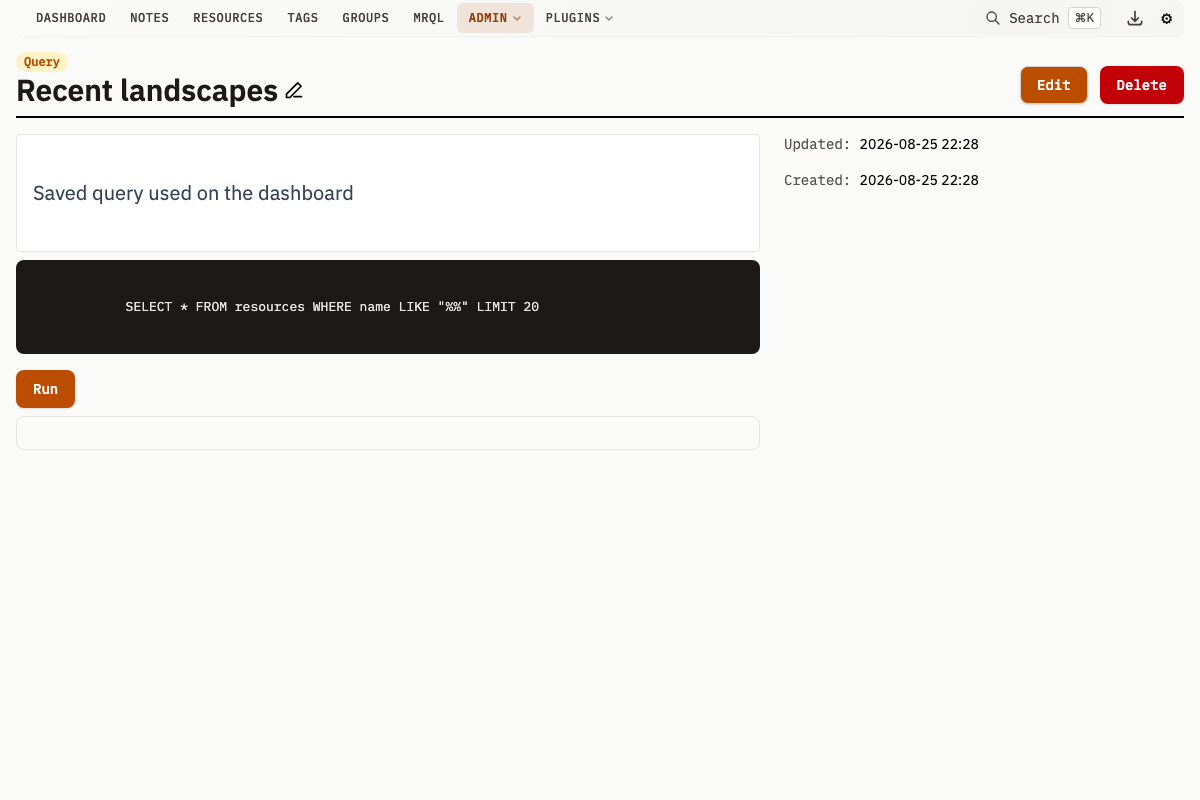
Saved Queries execute raw SQL through a dedicated query runner and display results in a table or custom template.
Query Properties
| Property | Description |
|---|---|
name | Unique identifier for the Query (used in the UI and URL) |
text | SQL statement to execute |
template | Optional HTML template for custom result rendering |
description | Optional explanation of purpose |
Names must be unique across all Queries.
How Queries Execute
- The SQL in
textis executed viasqlxusing the configured query connection - Named parameters (
:paramNamesyntax) are substituted from user input - Results are returned as
{columns, rows}-- theSELECTlist in its own order, and one array of values per row - If a
templateis defined, results render through it; otherwise a default table is used
If DB_READONLY_DSN points to a database-enforced read-only connection, writes are blocked at the database level. Without that, queries still run, but they are not database-enforced read-only.
Creating a Query
- Navigate to Queries in the navigation menu
- Click Create
- Fill in the Name, Query text, and optionally a Template and Description
- Click Submit
Named Parameters
Use :paramName syntax in SQL. When a Query is run, input fields appear for each parameter.
SELECT r.id, r.name, r.content_type
FROM resources r
JOIN resource_tags rt ON r.id = rt.resource_id
JOIN tags t ON rt.tag_id = t.id
WHERE t.name = :tagName
ORDER BY r.created_at DESC
Running this Query prompts for a tagName value. The UI parses input as JSON, so:
- Numbers:
123 - Strings:
"my value"(with quotes) or bare text - Booleans:
true/false - Null:
null
PostgreSQL Type Casts
PostgreSQL :: casts work normally in saved queries. Write them as usual:
SELECT meta::jsonb
FROM resources
WHERE id = :id
The query runner escapes casts automatically before named-parameter binding.
Running Queries
- Navigate to the Query detail page
- Fill in parameter values
- Click Run (or press Enter in any parameter field)
Results display as a table with JSON formatting for complex fields, collapsible nested objects, clickable URLs, and copy-on-click cells. Results are also available as window.results in the browser console.
Custom Result Templates
The template field accepts HTML with Alpine.js. The results variable contains the rows as
objects keyed by column name, which is what these templates have always iterated.
Two further variables carry the response exactly as the API sends it: columns (the SELECT list
in order) and rows (one array of values per row, index-aligned with columns). results is a
convenience projection built from those, and it is lossy in one case -- when a column name appears
twice, the object keeps only the last of the two values. Read columns and rows when that
matters.
<div class="grid grid-cols-3 gap-4">
  <template x-for="item in results" :key="item.id">
    <div class="p-4 border rounded">
      <a :href="'/resource?id=' + item.id" class="text-blue-600" x-text="item.name"></a>
      <p class="text-sm text-gray-500" x-text="item.content_type"></p>
    </div>
  </template>
</div>
Example Queries
Resources Without Tags
SELECT r.id, r.name, r.created_at
FROM resources r
LEFT JOIN resource_tags rt ON r.id = rt.resource_id
WHERE rt.resource_id IS NULL
ORDER BY r.created_at DESC
Resource Statistics by Content Type
SELECT
  content_type,
  COUNT(*) as count,
  SUM(file_size) as total_size,
  AVG(file_size) as avg_size
FROM resources
GROUP BY content_type
ORDER BY count DESC
Tag Usage Counts
SELECT
  t.id,
  t.name,
  COUNT(DISTINCT rt.resource_id) as resource_count,
  COUNT(DISTINCT nt.note_id) as note_count,
  COUNT(DISTINCT gt.group_id) as group_count
FROM tags t
LEFT JOIN resource_tags rt ON t.id = rt.tag_id
LEFT JOIN note_tags nt ON t.id = nt.tag_id
LEFT JOIN group_tags gt ON t.id = gt.tag_id
GROUP BY t.id, t.name
ORDER BY resource_count DESC
Code Editor
The Query create and edit pages use a CodeMirror 6 editor with SQL syntax highlighting, bracket matching, and auto-closing brackets. The editor loads autocompletion data from the database schema endpoint (/v1/query/schema), providing table and column name suggestions as you type. Line numbers and undo history are included.
The editor syncs its content to a hidden form input on every change, so the SQL text is submitted with the form.
Database Schema Endpoint
Retrieve the database schema to help build Queries:
GET /v1/query/schema
curl http://localhost:8181/v1/query/schema
This returns table and column definitions for the database.
API Endpoints
For database-level write protection, configure DB_READONLY_DSN as a truly read-only connection or user. Otherwise saved queries run through a secondary connection, but that connection is not inherently read-only.
On SQLite the read-only DSN must contain mode=ro for the server to treat it as enforced. On PostgreSQL any DB_READONLY_DSN that differs from DB_DSN counts as enforced, so point it at a role that is genuinely read-only: the server does not check.
List Queries
GET /v1/queries
curl http://localhost:8181/v1/queries
GET /v1/queries/timeline returns per-bucket created and updated counts for Queries, not the Query records themselves.
Get a Query
GET /v1/query?id={id}
curl http://localhost:8181/v1/query?id=3
Create or Update a Query
POST /v1/query
curl -X POST http://localhost:8181/v1/query \
  -H "Content-Type: application/x-www-form-urlencoded" \
  -d "Name=Recent+Resources&Text=SELECT+id,name+FROM+resources+ORDER+BY+created_at+DESC+LIMIT+50"
Include ID to update an existing Query. In a partial JSON update, fields you omit keep their stored values; a form submission can clear Template and Description.
Delete a Query
POST /v1/query/delete
| Parameter | Type | Description |
|---|---|---|
id | uint | Query ID to delete |
curl -X POST "http://localhost:8181/v1/query/delete" \
  -d "id=3"
Edit Query Name or Description Inline
POST /v1/query/editName
POST /v1/query/editDescription
| Parameter | Type | Description |
|---|---|---|
id | uint | Query ID |
Name or Description | string | New value |
Run a Query
POST /v1/query/run
| Parameter | Type | Description |
|---|---|---|
id | uint | Query ID to execute |
name | string | Alternative: run by Query name instead of ID |
| (body) | JSON | Named parameter values |
curl -X POST "http://localhost:8181/v1/query/run?id=3" \
  -H "Content-Type: application/json" \
  -d '{"tagName": "photography"}'
The response is an object with a columns list and a rows list:
{
  "columns": ["zebra", "apple"],
  "rows": [
    ["Sunset over the pier", 41],
    ["Harbour at dawn", 58]
  ]
}
columns is the query's SELECT list in the order it was written, and each
entry of rows is index-aligned with it. Three consequences:
- Column order is exact.
SELECT name AS zebra, id AS applereturns["zebra", "apple"]in that order, not alphabetically. - A repeated column name (
SELECT id, id, or a join of two tables that both haveid) appears twice incolumnsand keeps both values. columnsis populated even when the query matched nothing, so a client can still draw the table header for an empty result.
A cell's JSON type is decided by its column, not by what its contents happen to spell:
- A column declared
jsonorjsonb(Postgres), orJSON(the SQLite type mahresources'meta/section_configcolumns are declared with), holds a JSON document and is inlined as structure -- including when the document is a scalar, so'123'::jsonbis the number123. - Every other column is its text. A
textcolumn spelling123stays the string"123"; so does anumeric, auuid, an array ({a,b}), and abyteawhose bytes happen to read as JSON. - Bytes that are not valid UTF-8 -- a
byteaof real binary -- are base64-encoded, which is the only representation JSON has for them. NULLisnull.
SQLite has no declared type for a computed column, so an expression there is
always text: SELECT json_group_array(name) returns a string on SQLite while
SELECT json_agg(name) returns structure on Postgres. Select the column itself,
or parse client-side, if you need the document.
Before this rule, a value was typed by sniffing its bytes: anything that parsed
as a JSON object or array became one. That made the same document have two types
depending on how the driver handed it over -- on SQLite,
SELECT json_object('a',1) was the string "{\"a\":1}" while
SELECT CAST(json_object('a',1) AS BLOB) was the object {"a":1} -- and it left
scalar jsonb values as quoted strings. If you were relying on a bytea or BLOB
being re-parsed into structure, parse it yourself.
This endpoint used to return a bare JSON array of row objects
([{"zebra": …, "apple": …}]). It changed to {columns, rows} because a JSON
object cannot carry column order: JavaScript's Object.keys() enumerates
integer-like keys first and in numeric order, so a query selecting columns named
2024 and 2023 came back re-sorted whatever the server wrote. Update any
client that indexes rows by key.
Get Database Schema
GET /v1/query/schema
Returns table and column definitions for constructing Queries.
Security
- Read-only enforcement requires
DB_READONLY_DSNto point to a database-enforced read-only connection or user. Without that, saved queries execute through a secondary connection that is not inherently read-only. - Results may expose any data in the database; restrict access to the Mahresources instance accordingly
- With
-authenabled, group-limited users and guests cannot run saved queries at all: the runner refuses fail-closed, because arbitrary SQL cannot be confined to a group subtree. Every unscoped principal (admin, editor, or an unscoped user) can run them, and the results are not group-scoped. Creating, editing and deleting a Query requires the editor role.