Notes
A Note stores text content with optional start and end dates, a type classification, and relationships to Resources, Groups, and Tags. Notes support a block-based content system for structured editing and public sharing via unique tokens.
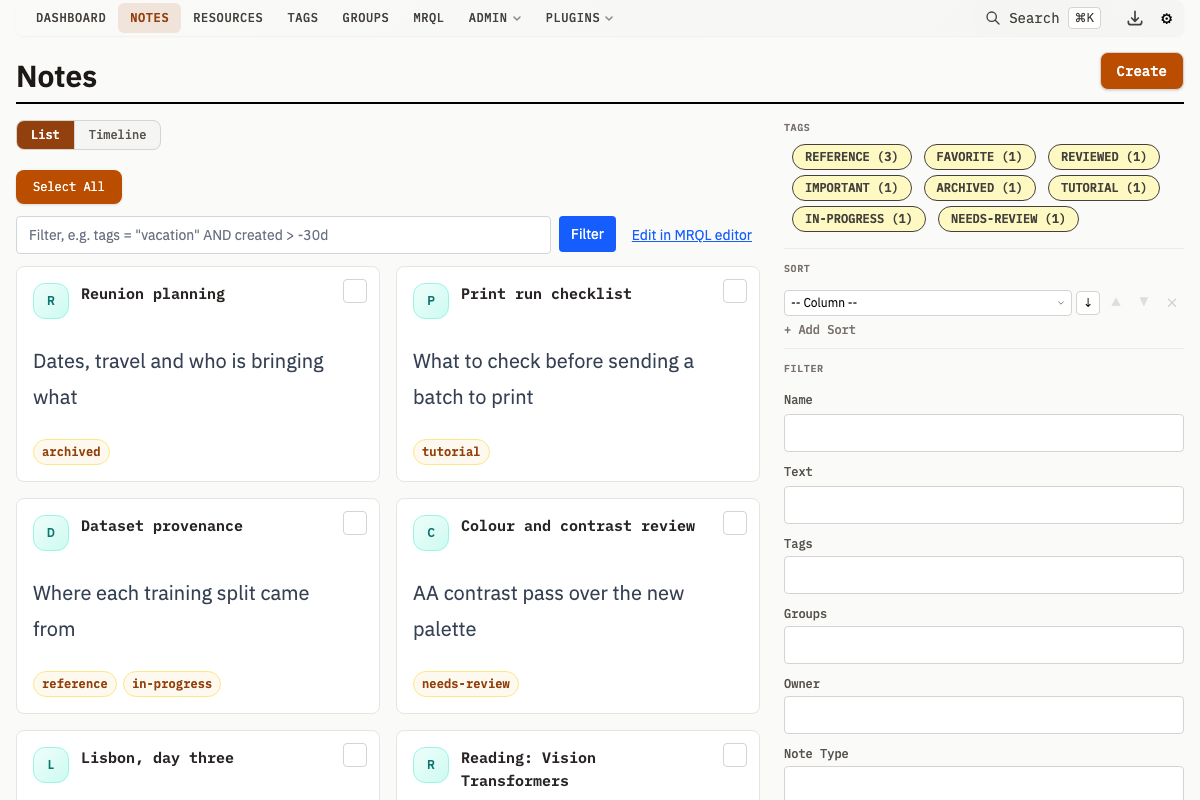
Note Properties
| Property | Type | Description |
|---|---|---|
name | string | Title of the Note (required, non-empty) |
description | string | Main text content, syncs with first text block |
meta | JSON | Arbitrary key-value metadata (defaults to {}) |
startDate | datetime | Optional start date for temporal filtering |
endDate | datetime | Optional end date for temporal filtering |
noteTypeId | integer | Optional FK to a Note Type for categorization |
shareToken | string (nullable) | Optional 32-character token for public sharing, generated on demand (unique across all Notes) |
shareCreatedAt | datetime (nullable) | When the current share token was minted; NULL for tokens created before this was recorded |
ownerId | integer | FK to owning Group |
createdAt | datetime | Creation timestamp |
updatedAt | datetime | Last update timestamp |
Ownership and Deletion
A Note can be owned by one Group. The owner appears as the Note's parent in the UI.
When the owner Group is deleted, the Note's ownerId is set to NULL (ON DELETE SET NULL). The Note is preserved as unowned.
Date Ranges
Notes have optional startDate and endDate fields for temporal filtering and chronological organization. Both fields are independent -- set one, both, or neither.
Note Types
Note Types classify Notes and apply consistent styling. Each Note Type carries a set of custom HTML slots, processed server-side for shortcodes, with Alpine.js directives available against an entity variable in the detail-page and card slots. See Custom Templates.
Deleting a Note Type sets noteTypeId to NULL on all Notes of that type. The Notes themselves are preserved, just untyped.
| Property | Description |
|---|---|
name | Type identifier (e.g., "Meeting Notes") |
description | Optional description of the note type |
customHeader | HTML template for the Note display header |
customDetailFooter | HTML template rendered at the bottom of the Note detail page body |
customSidebar | HTML template for the sidebar |
customSummary | HTML template for list views |
customAvatar | HTML template for Note avatars |
customHoverCard | HTML template for the hover card shown on a Note link; falls back to customSummary when empty |
customListHeader | HTML template rendered at the top of a Note list filtered to this one type |
customListFooter | HTML template rendered at the bottom of a Note list filtered to this one type |
customCSS | CSS injected as a page-level <style> block on pages that render this type's templates |
customMRQLResult | HTML template for rendering Notes of this type in MRQL query results |
applyTemplatesToShares | Opt this type's customHeader and customCSS into the public /s/<token> share page. Default false, so existing shares keep their appearance until an author enables it. See Note Sharing. |
metaSchema | JSON Schema for metadata validation on Notes of this type |
sectionConfig | JSON config controlling which sections are visible on Note detail pages |
createdAt | Creation timestamp |
updatedAt | Last update timestamp |
Slot content is expanded server-side for shortcodes, so read the Note's own fields with [property] and [meta]:
<div class="meeting-header">
  <span class="date">[property path="StartDate"]</span>
  <span class="type-badge">Meeting</span>
</div>
Note descriptions and text blocks support @-mentions. Type @ to search and link to resources, groups, and tags. Mentioned entities are automatically added as relations when you save. Mentions in notes are additive only: removing a mention does not remove the relation. See Mentions.
Block-Based Content
Notes support an optional block-based content structure. Each block has a type, position, content (JSON), and state (JSON). For full details on block types, schemas, and the block API, see Note Blocks.
Content vs State
Blocks separate content (edited in edit mode) from state (modified while viewing):
- Content: Todo item text, heading text, query configuration
- State: Which todos are checked, calendar view mode
Description Synchronization
The Note's description field syncs bidirectionally with the first text block:
- Editing the first text block updates
description - Editing
descriptionupdates the first text block - Notes without blocks render
descriptiondirectly
Relationships
Ownership
- One Group can own a Note (appears in the owner's "Owned Notes")
- Deleting the owner sets the Note's
ownerIdto NULL (Note preserved)
Related Groups
- Many-to-many via
groups_related_notes - A Note appears in each related Group's "Related Notes" section
Attached Resources
- Many-to-many via
resource_notes - Resources appear as attachments on the Note
Tags
- Many-to-many via
note_tags - Tags enable cross-cutting organization and filtering
Sharing
Generate a 32-character share token to make a Note publicly accessible. Shared Notes are served on the share server without authentication. See Note Sharing.
Query Parameters
Filter Notes with these parameters on GET /v1/notes:
| Parameter | Type | Description |
|---|---|---|
Name | string | LIKE search on name |
Description | string | LIKE search on description |
OwnerId | integer | Filter by owner Group |
Groups | integer[] | Filter by Group IDs (AND logic, includes owned + related) |
Tags | integer[] | Filter by Tag IDs (AND logic) |
Ids | integer[] | Filter by specific Note IDs |
NoteTypeId | integer | Filter by Note Type |
NoteTypeIds | integer[] | Filter by several Note Types |
Shared | boolean | Filter Notes that have a share token |
CreatedBefore | string | Date upper bound |
CreatedAfter | string | Date lower bound |
UpdatedBefore | string | Update-time upper bound |
UpdatedAfter | string | Update-time lower bound |
StartDateBefore | string | Filter on start date |
StartDateAfter | string | Filter on start date |
EndDateBefore | string | Filter on end date |
EndDateAfter | string | Filter on end date |
MetaQuery | string[] | JSON metadata queries (key:value or key:OP:value) |
SortBy | string[] | Sort columns (e.g., created_at desc, meta->>'key') |
MRQL | string | MRQL filter expression, with type = "note" implied. See MRQL. |
API Operations
For full API details, see API: Notes.